Table of Contents
What is RF Spectrum Analyzer Software?
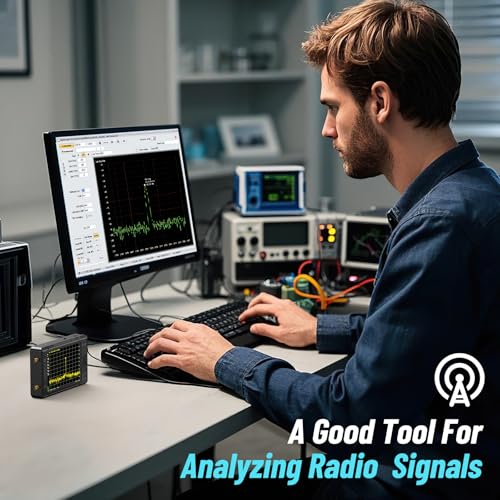
RF Spectrum Analysis Software is a specialized tool used to analyze and visualize radio frequency signals across the RF spectrum.
It processes data from various RF sources, such as spectrum analyzers, receivers and software-defined radios (SDRs). The software then displays information about the frequency, amplitude, and phase of signals.
🏆 Best Hardware for Free Spectrum Analyzer Software
If you’re using SDR#, SDR++, GQRX, SDRangel, or similar software, these are the hardware platforms we recommend.
- Best Beginner Option: RTL-SDR Blog V4
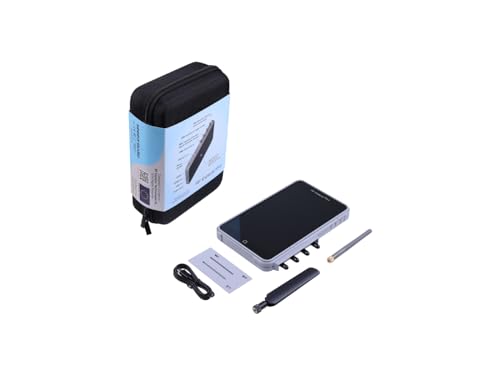
- Best Dedicated Analyzer: TinySA Ultra
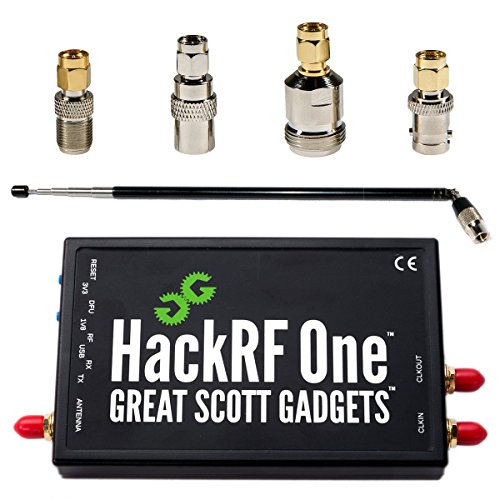
- Best Advanced SDR: HackRF One
Perfect for SDR#, SDR++, GQRX, and SDRangel users who want an affordable way to start exploring the RF spectrum.
A dedicated handheld spectrum analyzer with a built-in signal generator, ideal for RF troubleshooting and field work.
An advanced SDR platform offering wide frequency coverage for experimentation and RF research projects.
This software is essential for engineers, technicians, and researchers working in telecommunications, broadcasting, military, and other fields that rely on wireless communication.
In this post, we present a list of some of the best free RF spectrum analyzer software, along with unique features for each.
Note: Here is a list of Spectrum Analysis software for processing Audio signals
RF Explorer Touchstone
- Unique Features: Turns data from RF Explorer devices into graphical charts and displays. Offers diagnostic views, including spectrum trace and waterfall history. Requires a free license key.
- Platform: Windows, MacOS
- Source: RF Explorer
📡 Ready to Move Beyond Software?
If you’re constantly using SDR software to examine signals, a dedicated handheld analyzer can make RF troubleshooting dramatically easier.
- ✔ Portable handheld operation
- ✔ Real-time spectrum visualization
- ✔ Built-in signal generator
- ✔ Excellent for antenna and interference work
AirSleuth
- Unique Features: Designed for RTL-SDR (RTL2832U) receivers, provides excellent dynamic range and sensitivity. Features spectrum trace view, waterfall history, density map, threshold trace, and delta trace.
- Platform: Windows, MacOS
- Source: Nuts About Nets

💻 Turn Free Software Into a Real Spectrum Analyzer
Free spectrum analyzer software is only half the equation. An RTL-SDR dongle gives SDR#, SDR++, GQRX, and SDRangel access to real RF signals.
- ✔ Works with most popular free SDR software
- ✔ Extremely affordable
- ✔ Covers a wide frequency range
- ✔ Perfect for learning RF and spectrum analysis
Spektrum
- Unique Features: A Windows and Linux compatible software that transforms an RTL-SDR dongle into a spectrum analyzer. Features high-resolution waterfall plots and spectrum display.
- Platform: Windows, Linux
- Source: Spektrum Download

Satsagen
- Unique Features: Supports RTL-SDR, HackRF, and other devices. Provides a large bandwidth view of spectrum activity with waterfall plots and spectrum analysis.
- Platform: Windows, Linux
- Source: Satsagen

💻 Ready for the Next Step Beyond SDR Software?
Many RF enthusiasts start with SDR#, SDR++, or SDRangel and eventually want a dedicated instrument for quick measurements. The TinySA Ultra complements your software tools by providing instant RF visibility without needing drivers, updates, or a computer.
- ✔ Faster than launching SDR software
- ✔ Great for quick signal checks
- ✔ Portable enough for a toolbox or go-bag
- ✔ Useful alongside RTL-SDR and HackRF devices
GQRX
- Unique Features: Multi-platform software compatible with many SDR hardware. Offers real-time spectrum and waterfall displays.
- Platform: Windows, MacOS, Linux
- Source: GQRX

SDR# (SDRSharp)
- Unique Features: Popular among RTL-SDR users, supports a wide range of plugins for enhanced functionality including spectrum analysis.
- Platform: Windows
- Source: Airspy
HDSDR
- Unique Features: Provides real-time spectrum and waterfall displays with a user-friendly interface. Supports various SDR hardware.
- Platform: Windows
- Source: HDSDR

CubicSDR
- Unique Features: Open-source and cross-platform, supports multiple SDR devices, and provides real-time spectrum analysis and waterfall displays.
- Platform: Windows, MacOS, Linux
- Source: CubicSDR

These tools offer various features suitable for different levels of expertise and specific needs in RF spectrum analysis.
🏆 The Natural Upgrade From Free Spectrum Analyzer Software
If you’ve spent time with SDR#, SDR++, GQRX, or SDRangel, you’ve already learned the fundamentals of RF analysis. The TinySA Ultra takes the next step by putting a dedicated spectrum analyzer in your hand.
- ✔ No computer required
- ✔ Portable handheld design
- ✔ Built-in signal generator
- ✔ Excellent for antenna tuning and interference hunting
- ✔ One of the best values in RF test equipment today

The tinySA is a compact, affordable spectrum analyzer designed for hobbyists, makers, and RF enthusiasts. It allows users to visualize and analyze signals in the 100 kHz to 7.3 GHz range, making it ideal for testing RF circuits, antennas, and signal interference.
Despite its small size and budget-friendly price, it offers features like signal generation, adjustable span and resolution bandwidth, and harmonic analysis—bringing professional-grade signal analysis capabilities to your bench at a fraction of the cost.