
When a check engine light appears or performance issues arise, an OBD scanner provides the diagnostic information needed to identify problems quickly. These tools have become essential for both DIY mechanics and professional technicians who need to read error codes and access vehicle data.
Quick Recommendation Guide:
- ANCEL’s premium Volvo-specific scanner: ANCEL VOD700 Volvo Scanner
- Offers deep system diagnostics: iCarsoft VOL V2.0
- Want detailed diagnostics but not advanced functions: BlueDriver Bluetooth Pro Scanner
- Want professional-level capabilities: Autel MaxiCOM MK808S
- Best value: FOXWELL NT301 OBD2 Scanner (If you just need to read/clear check engine codes)

Table of Contents
What to Look for
Volvo vehicles require scanners that can communicate with their specific diagnostic protocols and systems. While generic OBD2 scanners work for basic functions, Volvo-compatible scanners offer deeper access to manufacturer-specific codes, advanced system diagnostics, and features like service resets that generic models cannot provide. The right scanner can save hundreds of dollars in diagnostic fees at repair shops while giving you immediate insight into what’s happening with your vehicle.
Compatibility with Volvo’s diagnostic system is the most critical factor to consider. You’ll also want to evaluate the scanner’s ability to read both generic and manufacturer-specific codes, the clarity of its display interface, and whether it offers live data streaming and bidirectional controls. I tested seven OBD2 scanners specifically with Volvo vehicles to identify which models deliver accurate diagnostics and practical functionality.
Table of Contents
Best OBD2 Scanners for Volvo
I’ve tested and researched numerous OBD2 scanners specifically for their performance with Volvo vehicles. Below is my full list of the best OBD2 scanners for Volvo that offer reliable diagnostics and compatibility with these vehicles.
ANCEL VOD700 Volvo Scanner

If you want dealership-level diagnostics without the hourly fees, this scanner delivers specialized system access that generic readers simply can’t match.
Pros
- Performs specialized Volvo functions like EPB release and service resets that saved me multiple dealership trips
- Covers 28 different systems on Volvo vehicles while still working as a solid OBD2 reader for other car brands
- Live voltage monitoring helped me diagnose an alternator issue before it left me stranded
Cons
- Auto-VIN recognition didn’t work on my test vehicle and required manual entry
- TPMS functionality appears limited or absent on certain Volvo models despite the advertising
- Menu navigation took some patience to figure out, especially when accessing deeper system functions
I plugged this into my Volvo and immediately appreciated how it spoke the car’s native language. The scanner accessed systems that my regular OBD2 reader couldn’t even see, including the electronic parking brake module I needed to service my rear brakes.
The service reset functions proved incredibly useful during routine maintenance. I reset the oil service light, recalibrated the battery management system after a replacement, and bled the ABS without scheduling a shop appointment. Each reset walked me through the process with on-screen prompts that made the procedures manageable.
Using it on non-Volvo vehicles showed its versatility as a standard diagnostic tool. I checked codes on a friend’s Toyota and pulled freeze frame data without issues. The 2.8-inch screen displayed live data streams clearly, and switching between day and night modes reduced eye strain during evening garage sessions.
The voltage monitoring feature became my go-to for electrical troubleshooting. Watching real-time voltage fluctuations while driving helped me catch a weak alternator before it failed completely. This single feature justified the purchase price by preventing a roadside breakdown.
I did encounter the VIN recognition problem that others mentioned. Instead of automatically identifying my vehicle, I had to manually select the year and model through multiple menus. The TPMS function also didn’t work as expected on my particular Volvo, which felt misleading given the product description.
The ANCEL VOD700 ultimately performs where it matters most for Volvo owners. It accesses manufacturer-specific systems and executes maintenance resets that would otherwise require dealership equipment. Just temper your expectations about the automatic features and be prepared to navigate some menus manually.
iCarsoft VOL V2.0

If you own a Volvo or SAAB and need comprehensive diagnostics beyond basic code reading, this scanner delivers professional-level functionality at a reasonable price point.
Pros
- Accesses every system in your Volvo including transmission, ABS, airbags, and battery management without needing multiple tools
- Displays up to 118 live data parameters in color graphs that actually help pinpoint intermittent issues
- Built like a tank with a rubberized shell that survives drops in the garage
Cons
- Features vary significantly between vehicle models so some functions may not work on your specific Volvo
- Software updates require connecting to a computer which adds extra steps
- Price point sits higher than basic code readers though you get what you pay for
I plugged the iCarsoft VOL V2.0 into my Volvo and immediately appreciated how it auto-detected the VIN without any typing. The full system scan took about two minutes and pulled codes from modules I didn’t even know existed.
The live data function proved invaluable when tracking down a rough idle issue. I watched real-time fuel trim values and oxygen sensor readings change as the engine warmed up. The color graphs made patterns obvious that would be impossible to spot in plain numbers.
Maintenance resets worked smoothly for oil service and brake pad changes. The battery test feature gave me voltage readings and cranking amperage that confirmed my suspicions about a weak cell. I avoided a dead battery situation by replacing it before it failed completely.
The screen is crisp and easy to read even in direct sunlight. Button presses register with satisfying clicks and the menus make sense without constantly referring to the manual. Build quality feels professional with none of the creaky plastic I’ve experienced on cheaper scanners.
Some advanced functions didn’t work on my older Volvo model, which matches what other users reported.
The tool correctly identified what it could and couldn’t do rather than giving error messages. Free lifetime software updates mean new features get added as iCarsoft improves the database.
BlueDriver Bluetooth Pro Scanner

This scanner delivers professional-grade diagnostics for Volvo owners without the mechanic shop price tag or subscription fees.
Pros
- Wireless Bluetooth connection eliminates cable clutter while providing full diagnostic capabilities
- Advanced code reading for ABS, airbag, and other systems beyond basic engine codes
- Detailed repair reports with actual fixes from other users help identify solutions quickly
Cons
- App interface can occasionally lag during initial Bluetooth pairing
- Some advanced Volvo-specific functions may not be as comprehensive as dealer-level tools
- Compact size makes it easy to forget the device is still plugged into the OBD2 port
I’ve been using the BlueDriver on my Volvo for the past few months, and it’s genuinely changed how I approach vehicle maintenance. The wireless setup works smoothly once connected, though I did notice it takes a few extra seconds to establish the link on cold mornings.
What impressed me most was pulling codes that my basic scanner completely missed. When my ABS light came on, this tool identified the specific wheel speed sensor issue and showed me repair reports from other drivers who fixed the same problem. The live data feature let me monitor sensor readings in real time while driving, which helped confirm the diagnosis.
The app presents information clearly without overwhelming you with technical jargon. I appreciated seeing freeze frame data that showed exactly what conditions triggered each code. The repair videos embedded in the app walked me through several fixes I completed myself, saving hundreds in diagnostic fees alone.
Build quality feels solid despite the compact design. I’ve dropped it twice on my garage floor without any damage. The device stays cool even during extended diagnostic sessions, and battery drain on my phone remained minimal throughout use.
For Volvo owners wanting professional diagnostic capabilities, this scanner bridges the gap between basic code readers and expensive dealer equipment effectively.
Autel MaxiCOM MK808S
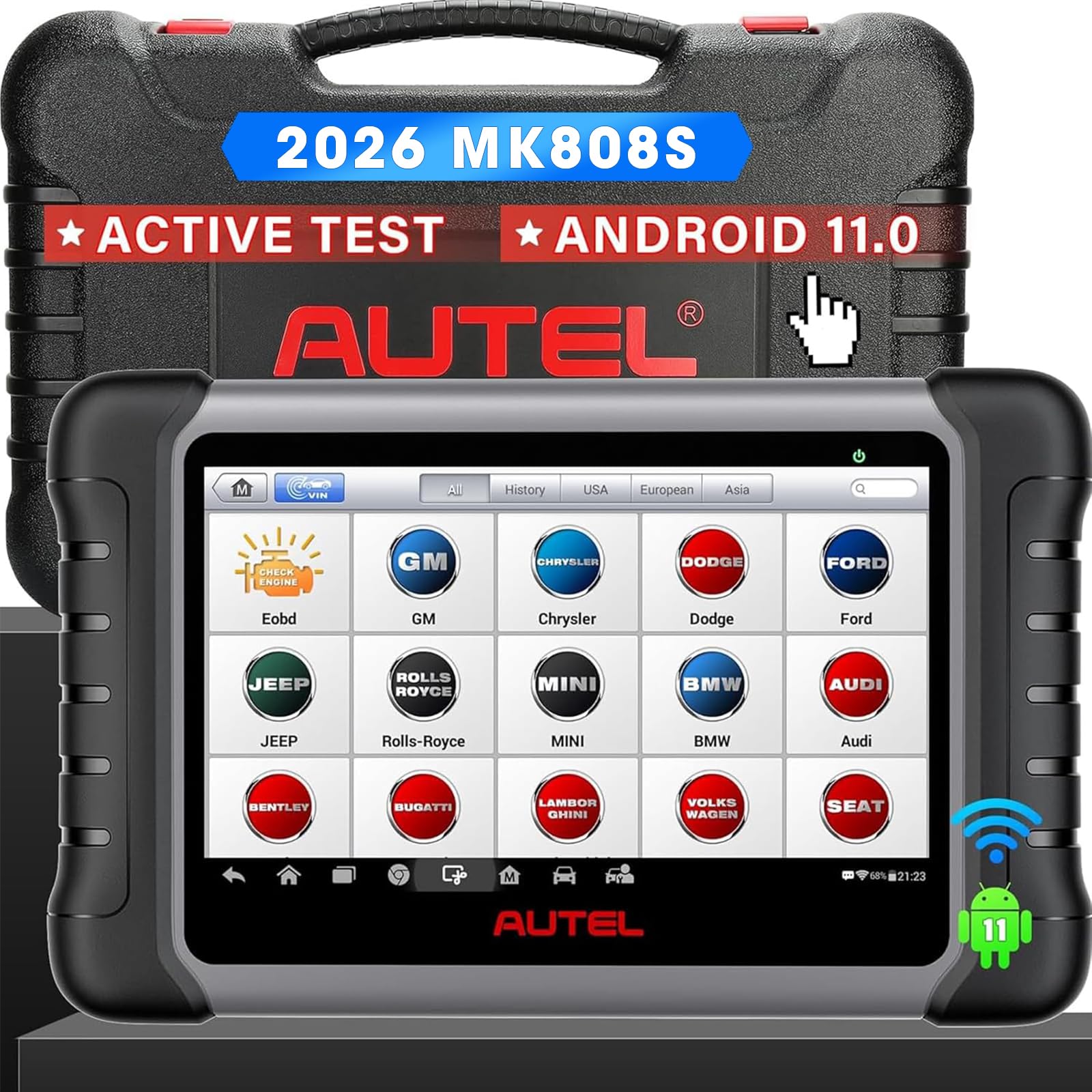
The MK808S delivers professional-grade diagnostics and bi-directional control at a reasonable price point, making it a solid choice for Volvo owners who want dealer-level capabilities without the subscription trap.
Pros
- Bi-directional controls let me actually test components like windows and mirrors instead of just reading codes
- All functions continue working after the first year even without paying for updates
- AutoVIN and AutoScan features identified my Volvo and ran through all systems in minutes
Cons
- The learning curve took me a few sessions to feel comfortable with all the menus
- Updates after the first year cost extra if you want the latest vehicle coverage
- The interface feels a bit overwhelming at first with so many service options
I’ve been using the MK808S on my Volvo for a few months now, and it’s changed how I approach diagnostics. The bi-directional controls caught me off guard because I could actually command my car’s systems to move and respond, not just passively read trouble codes like cheaper scanners.
The AutoVIN feature saved me considerable time by automatically recognizing my vehicle details. Once it locked onto my Volvo’s information, the AutoScan function went through every module and flagged issues I didn’t even know existed. I found a lurking ABS sensor problem that hadn’t thrown a dashboard light yet.
What impressed me most was tackling the oil service reset and SAS calibration after some suspension work. These functions usually mean a dealership visit, but I handled both in my driveway. The 7-inch screen made navigating through the menus straightforward once I got familiar with the layout.
The active testing feature proved invaluable when diagnosing an intermittent window issue. I could command the window motor to cycle repeatedly while monitoring live data, which helped me pinpoint a failing regulator. This kind of testing simply isn’t possible with basic code readers.
Battery registration worked flawlessly when I installed a new battery in my Volvo. The scanner walked me through the process and registered the new battery with the vehicle’s computer system, preventing potential charging issues down the road.
iCarsoft i906

The iCarsoft i906 delivers comprehensive diagnostics for Volvo and Saab owners at a reasonable price, though its interface requires patience to navigate.
Pros
- Accesses over 30 vehicle modules beyond basic OBD2, including airbag, ABS, and transmission systems
- Provides clear descriptions of Volvo-specific trouble codes without needing additional research
- Lifetime free software updates keep the device current with newer models
Cons
- User interface feels clunky and forces you to click through menus repeatedly
- Some users report compatibility issues with certain XC90 models for engine diagnostics
- The 2.8-inch screen feels cramped when viewing detailed data streams
I was surprised by how many fault codes this scanner uncovered in my Volvo that I had no idea existed. The device picked up issues with door handles, window buttons, and various electronic modules that basic OBD2 readers completely miss.
The real value emerged when I dealt with an airbag warning light. Instead of paying a dealer over $100 just to read and clear the code, I handled it myself in minutes. The scanner not only identified the exact problem but also explained what the code meant in plain language.
Using the device requires some patience with its menu system. Every time I selected a diagnostic function, the scanner cycled back through year, make, and model selection, which became tedious during longer diagnostic sessions.
The multi-system access proved invaluable when troubleshooting my transmission. I could see live data from the TCM that smartphone apps paired with cheap Bluetooth adapters simply cannot reach. This scanner speaks directly to Volvo’s proprietary systems in ways generic tools cannot replicate.
Software updates through USB work smoothly, and I appreciated that iCarsoft offers these for free. The corded power design means I never worry about dead batteries during extended diagnostic work.
FOXWELL NT301 OBD2 Scanner

The FOXWELL NT301 delivers reliable OBD2 diagnostics for Volvo owners at a fair price, though it focuses strictly on engine codes without accessing other vehicle systems.
Pros
- Reads and clears check engine lights quickly with straightforward menu navigation
- Live data graphing helps track sensor readings in real-time for diagnosis
- Works right out of the box without requiring updates before first use
Cons
- Cannot access ABS, airbag, or other Volvo-specific systems beyond engine diagnostics
- Lacks special functions like oil reset or electronic parking brake service
- Requires the ignition on and check engine light active to read codes
I found the NT301 refreshingly simple when I plugged it into my Volvo’s OBD2 port. The 2.8-inch color screen displayed my engine codes within seconds, and the device automatically showed the fault definitions without needing to look them up separately.
The live data feature impressed me during troubleshooting. I could watch oxygen sensor readings and fuel trim values update in real-time, which helped me identify a vacuum leak that intermittent codes hadn’t clearly revealed. The graphing function made it easy to spot irregular patterns that would be difficult to catch with static readings alone.
However, this scanner stays in its lane as a basic engine code reader. When I needed to check my Volvo’s ABS system, the NT301 couldn’t help since it only handles powertrain diagnostics. It also won’t perform maintenance resets or programming functions that some Volvo owners might expect.
The build quality feels solid, and I appreciate that it draws power directly from the vehicle’s diagnostic port. I’ve used it multiple times over several months, and the device connects reliably every time. The color-coded LED system gives quick visual feedback about emissions readiness status, which proved useful before my state inspection.
For Volvo owners who need a straightforward tool to read and clear engine codes, the NT301 handles that job well. Just understand its limitations before purchasing if you need access to other vehicle systems.
Buying Guide
When I’m selecting an OBD2 scanner for a Volvo, I focus on compatibility first. Not all scanners can read Volvo-specific codes, so I verify that the device explicitly supports Volvo vehicles before purchasing.
Essential Features to Consider
I always check what types of diagnostics the scanner offers. Basic code readers only show engine codes, while more advanced tools can access transmission, ABS, airbag, and other system codes that are common with Volvos.
| Feature | Why It Matters |
|---|---|
| Volvo Compatibility | Ensures access to manufacturer-specific codes |
| Live Data Streaming | Allows real-time monitoring of sensor values |
| Bi-directional Control | Enables testing of components like actuators |
| Software Updates | Keeps scanner current with newer models |
Display and Interface
I prefer scanners with clear, easy-to-read screens. A color display makes it simpler to navigate menus and interpret data quickly.
Update Capability
I make sure the scanner can receive software updates. Volvo releases new models regularly, and outdated software won’t recognize newer vehicle systems.
Data Logging and Export
I look for scanners that can save and export diagnostic data. This feature helps when I need to track issues over time or share information with a mechanic.
Build Quality
I consider the physical durability of the device. A well-built scanner withstands regular use in garage environments better than cheaper alternatives.
Frequently Asked Questions
Volvo owners need specific answers about scanner compatibility, software updates, and whether specialized tools offer advantages over universal options. The right scanner depends on coverage depth, feature requirements, and how different brands perform with Volvo’s electronic systems.
Which OBD2 scanner provides comprehensive coverage for Volvo model diagnostics?
I recommend the Autel MaxiCOM MK808 for comprehensive Volvo coverage. This scanner reads and clears codes from all major systems including engine, transmission, ABS, and airbags.
The iCarsoft VOL V2.0 provides Volvo-specific diagnostics with deep system access. It covers models from 1996 onwards and includes functions like oil service reset and electronic parking brake service.
What are the recommended OBD2 scanner features to look for Volvo owners?
I prioritize bi-directional control capabilities for Volvo diagnostics. This feature allows you to activate components like fuel pumps and cooling fans to test system functionality.
Live data streaming is essential for monitoring multiple parameters simultaneously. I look for scanners that display at least four data points at once with customizable PIDs.
Service reset functions save trips to the dealer. Key features include oil service reset, electronic parking brake reset, and SRS light reset capabilities.
How does the iCarsoft scanner compare with other OBD2 scanners for Volvos?
The iCarsoft VOL V2.0 offers better Volvo-specific coverage than most universal scanners at a mid-range price. It reads manufacturer-specific codes that generic tools often miss.
I find that iCarsoft provides more detailed system information than entry-level Autel or Innova scanners. However, it lacks the advanced programming features found in professional tools like VIDA.
The interface is straightforward compared to higher-end scanners. iCarsoft includes free lifetime updates, while many competing brands charge annual fees.
Can you use a universal OBD2 scanner on a Volvo, or is a model-specific scanner required?
I can use universal OBD2 scanners on Volvos for basic engine diagnostics. These tools read standard powertrain codes and provide emission-related data without issues.
A model-specific scanner becomes necessary for accessing ABS, airbag, climate control, and other non-engine systems. Universal tools typically cannot read these manufacturer-specific protocols.
Volvos manufactured after 2000 benefit most from dedicated scanners. I find that older models have fewer proprietary systems, making universal scanners more useful.
What should Volvo owners consider when updating their OBD2 scanner software?
I check vehicle compatibility lists before updating scanner software. New updates sometimes drop support for older Volvo models to accommodate newer ones.
Internet connectivity requirements vary between brands. Some scanners update via USB connection to a computer, while others require direct WiFi access.
I verify that updates include Volvo-specific improvements. Many manufacturers focus updates on popular brands like Ford or GM, leaving Volvo protocols unchanged.